An estimate writes nothing
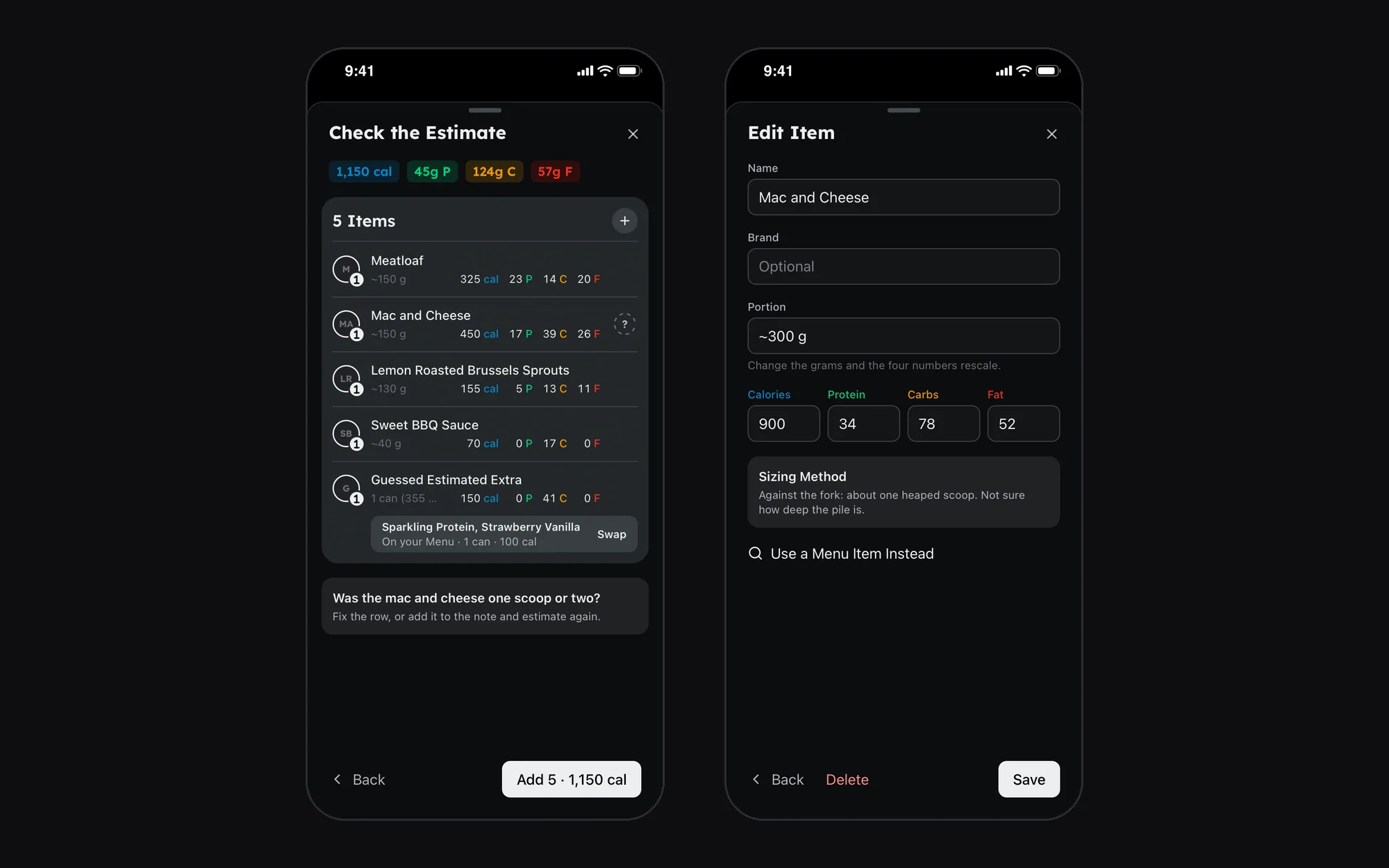
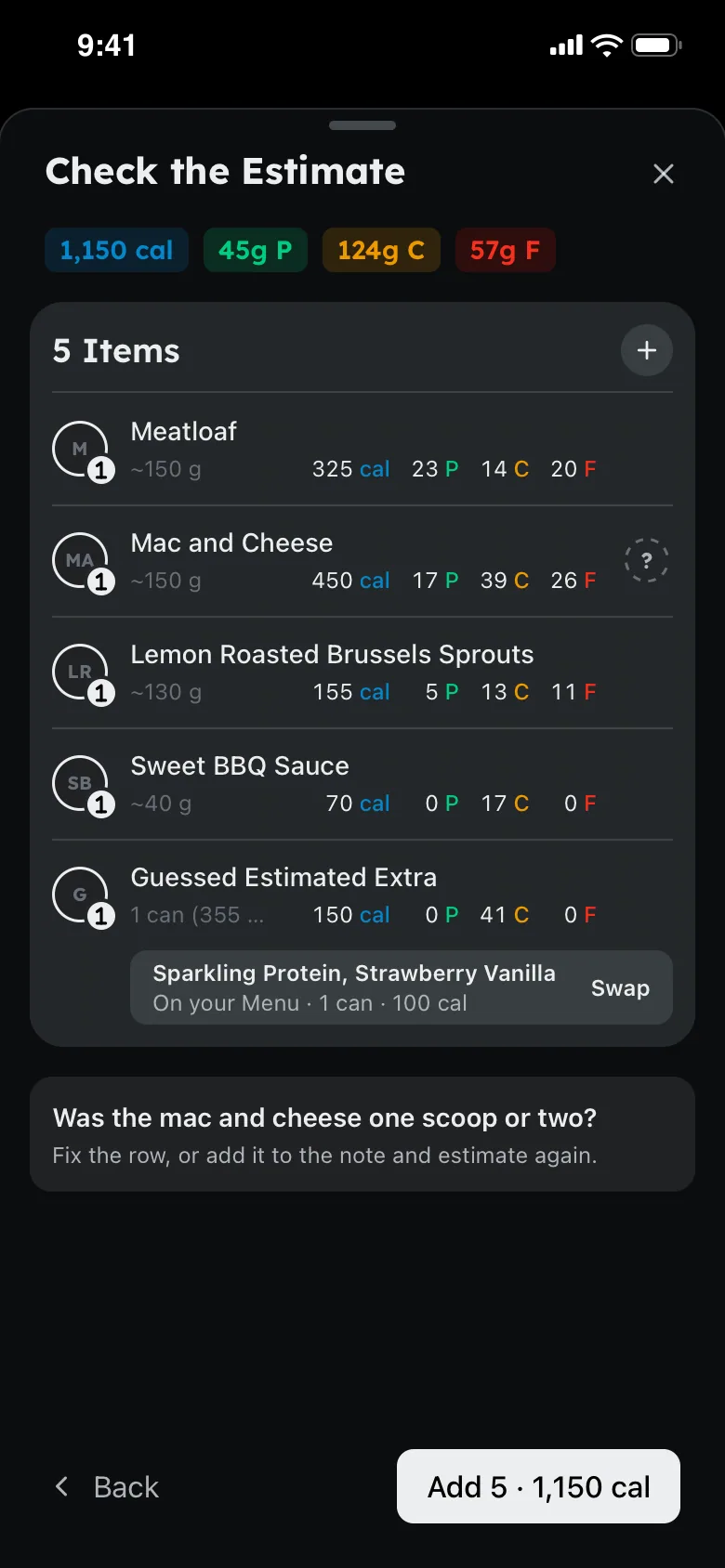
The estimate endpoint only proposes. Nothing is logged until I add it, through the same API as a hand-logged item, and my Menu is never sent to the model: a strict local match offers one-tap swaps afterwards.
A food tracker that reads the plate

A macro and calorie tracker where logging a meal is a photo or a sentence: a model proposes each item with a portion and its macros, I check and correct it, and it lands in the day.
The Problem
Every tracker makes you search, weigh and tap for each item. I eat a mix of home cooking, restaurants and cafeteria food, so the workflow that actually works is: a photo or a sentence, a sane estimate I can correct, and it lands in the tracker. The app is the honest daily view; the model does the typing.
How It Works
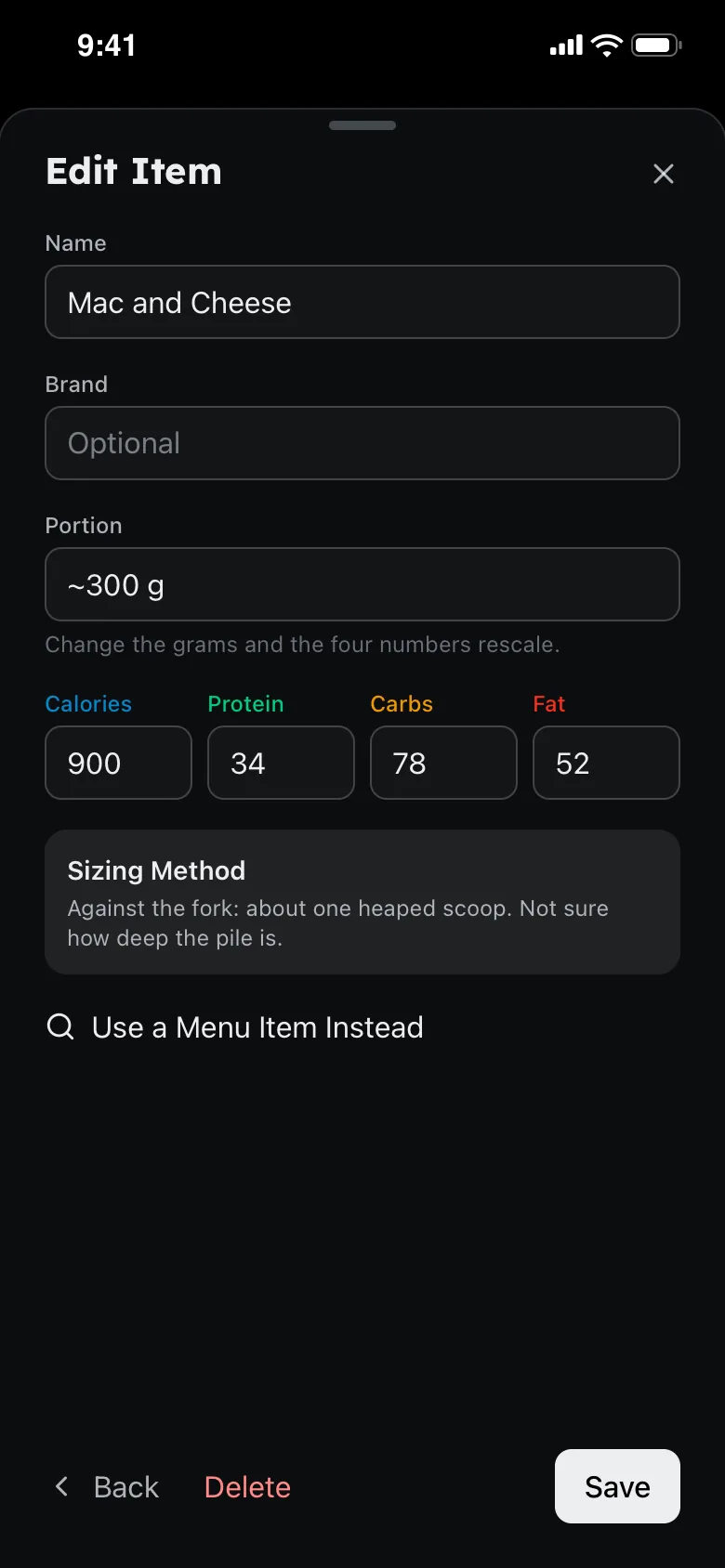
Estimate a Meal, in the Add sheet: up to three photos, a note, or both. The model proposes each item with a portion, its macros and how sure it is, and asks what the photo can't tell it. I edit, then add.
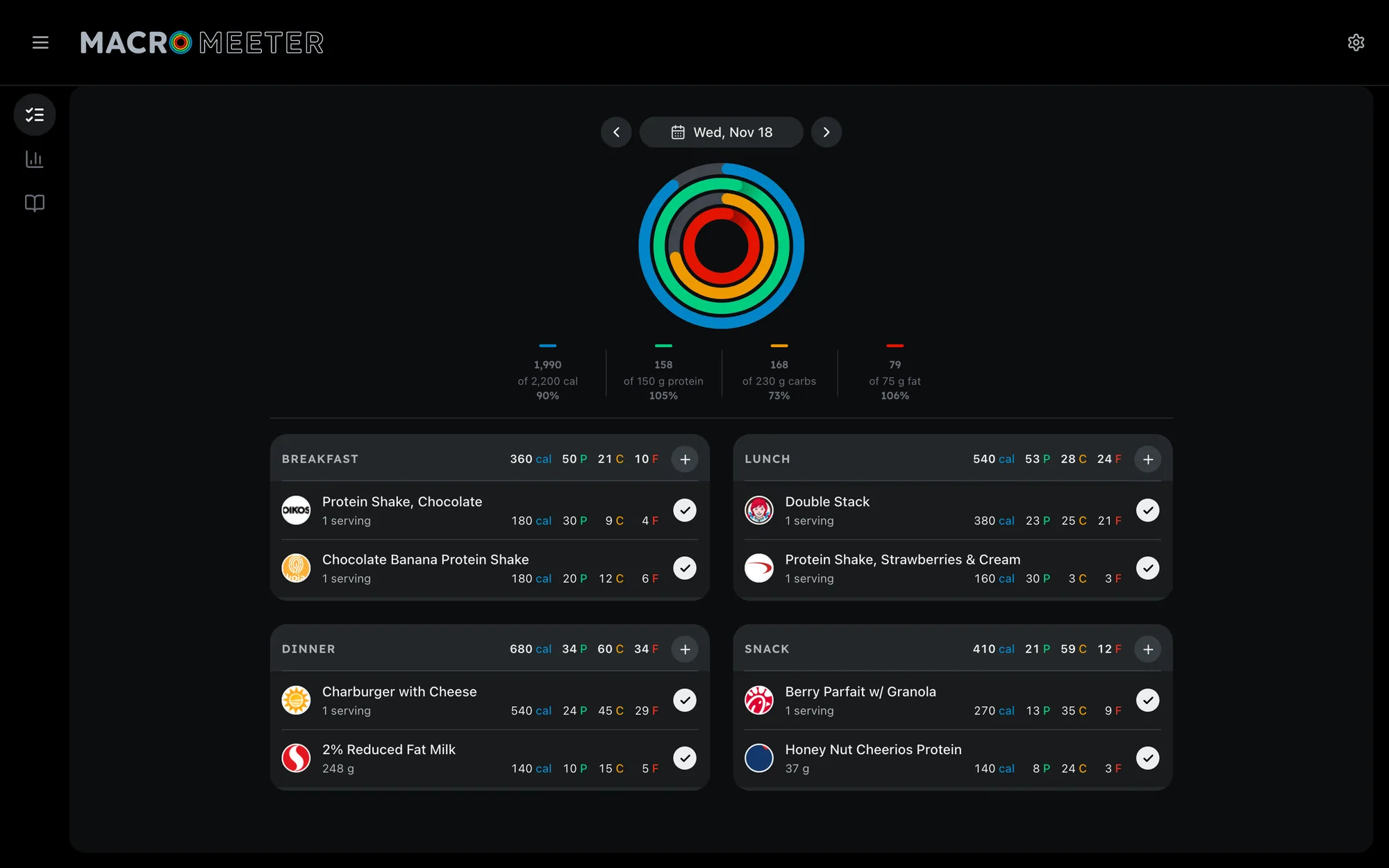
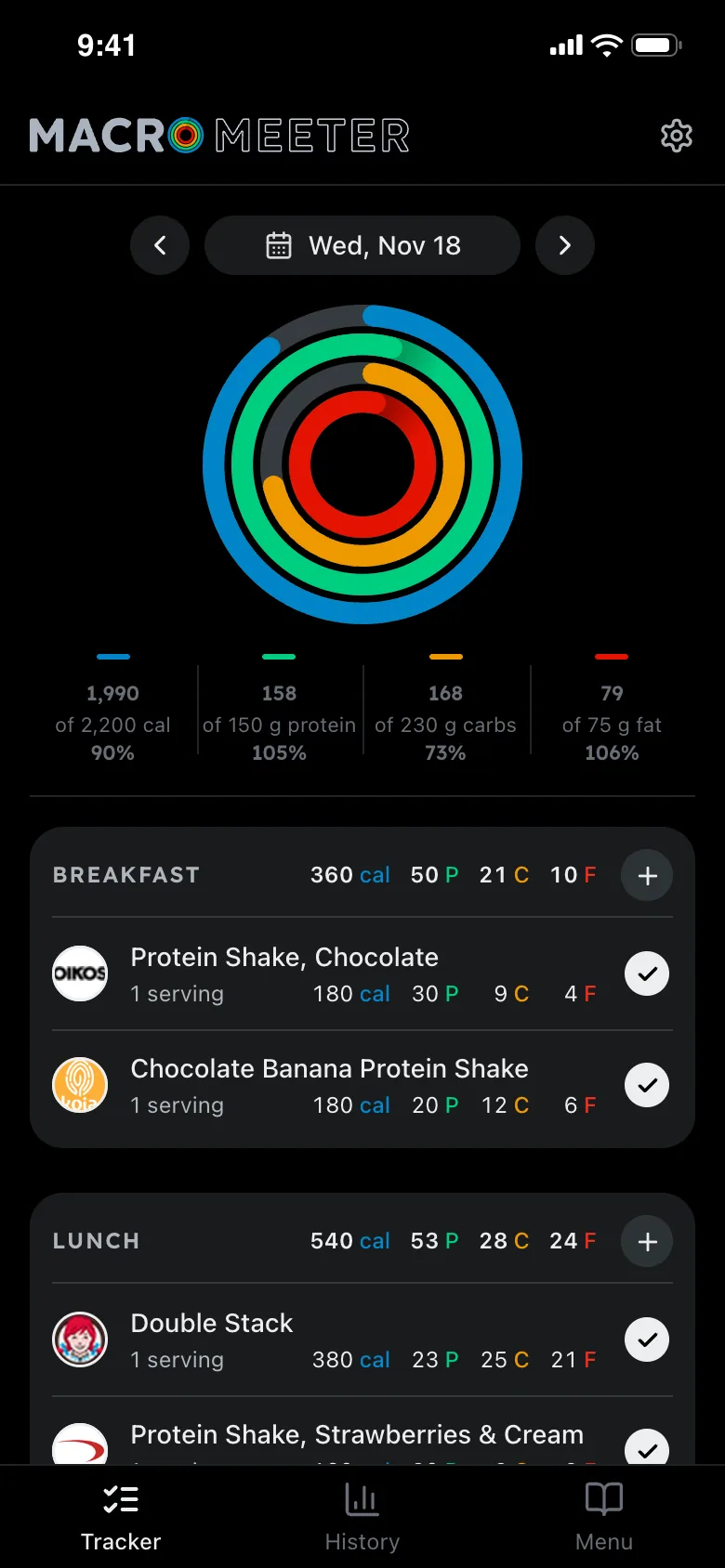
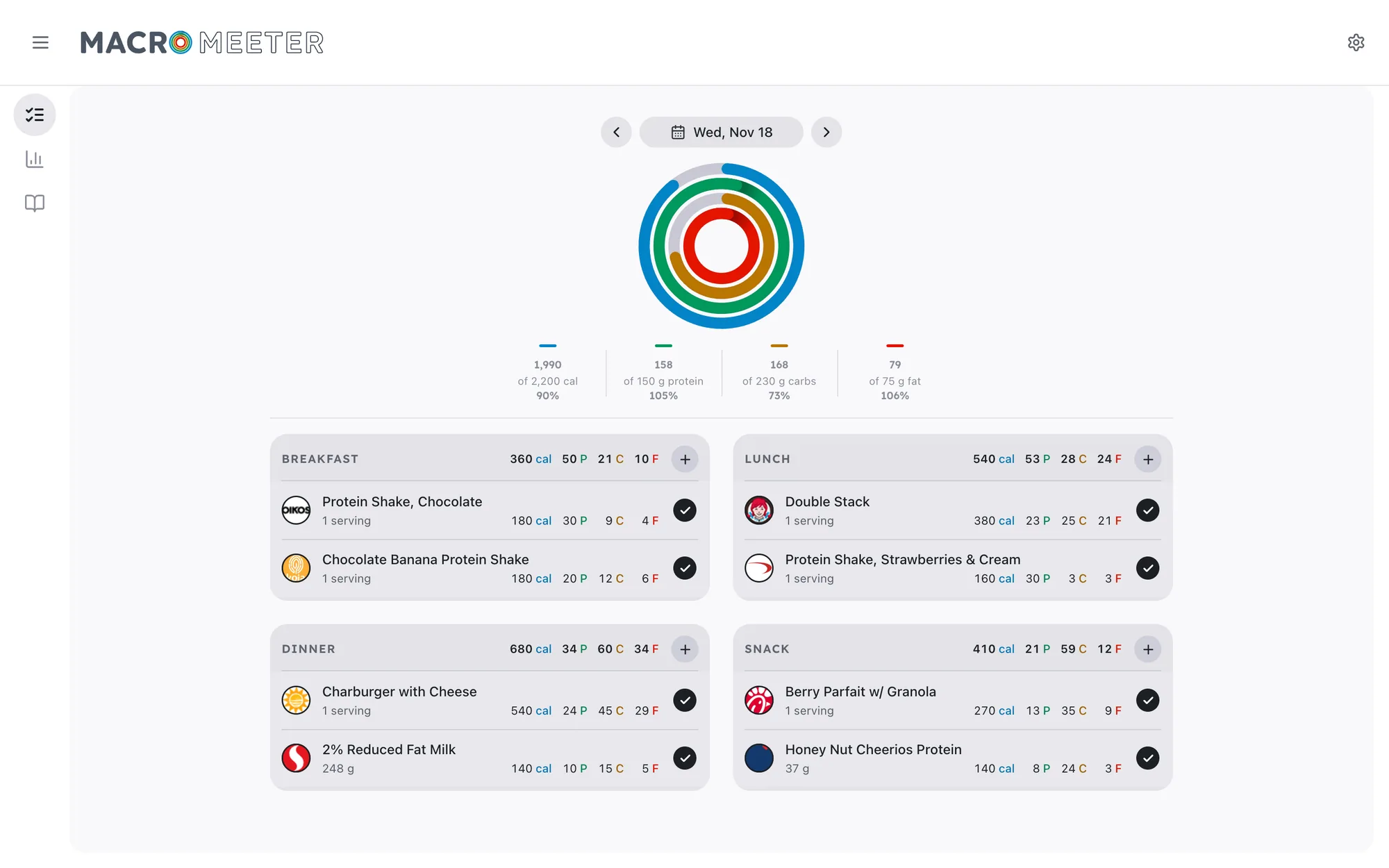
Four concentric rings: calories outermost, then protein, carbs and fat. Four meal cards show what's eaten and what's still planned.
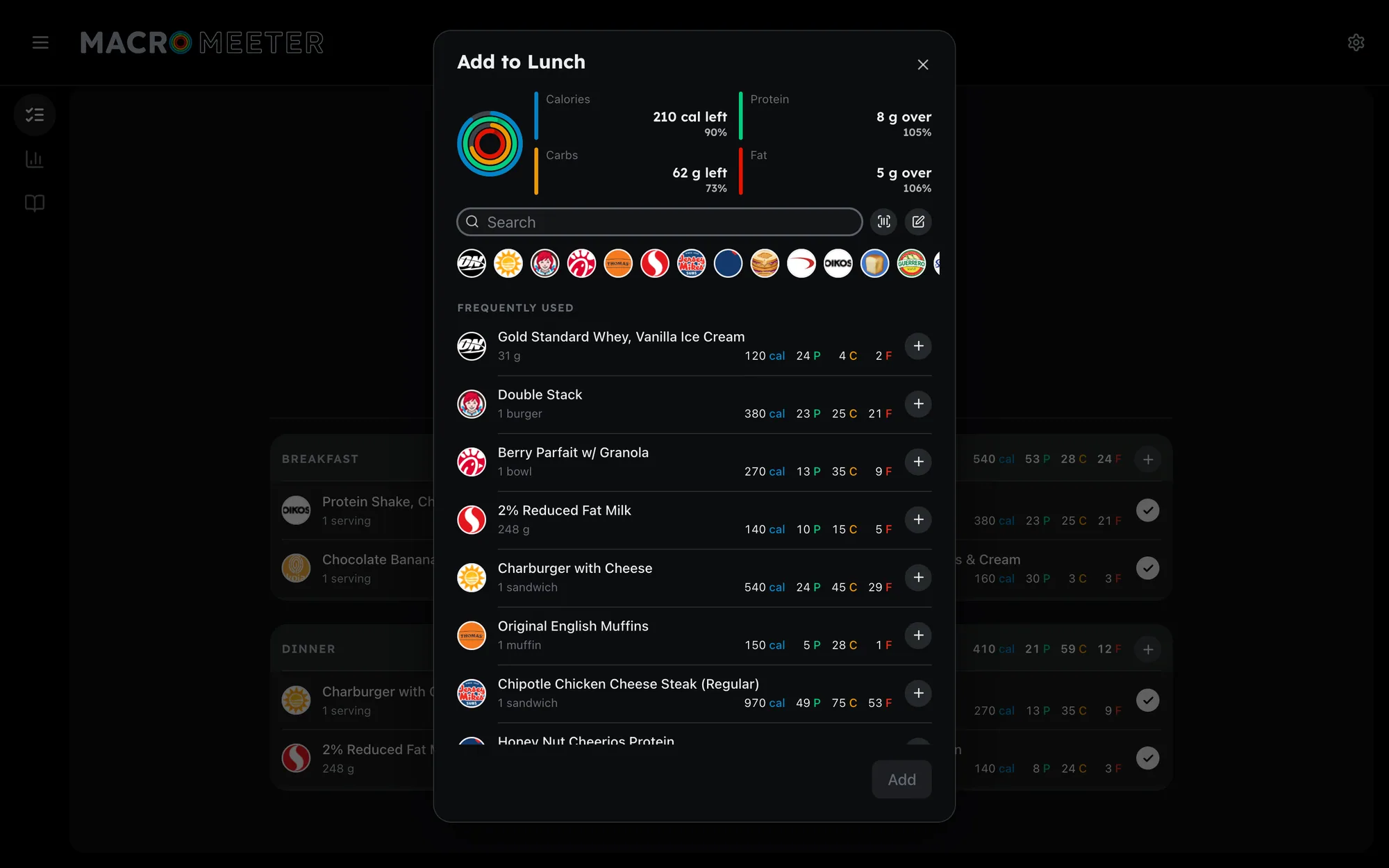
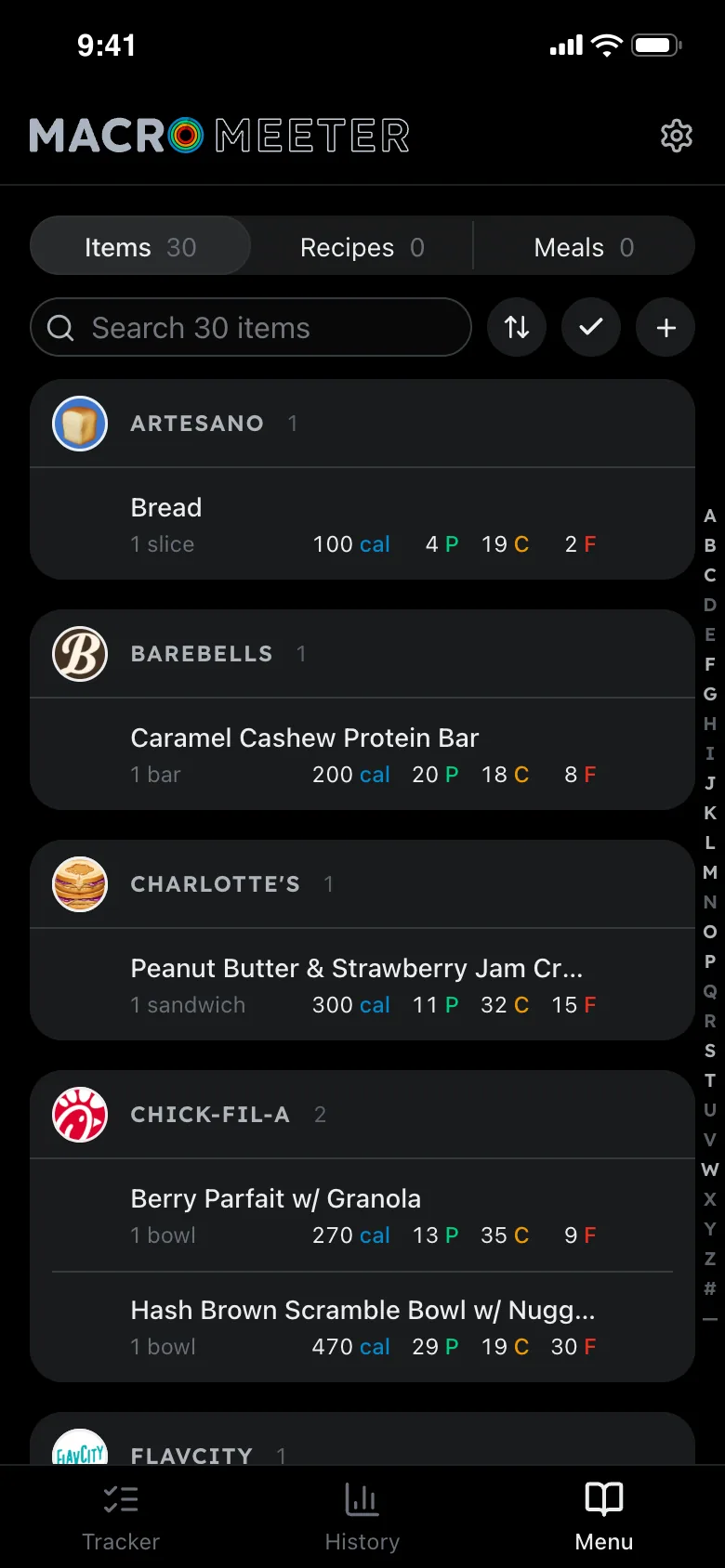
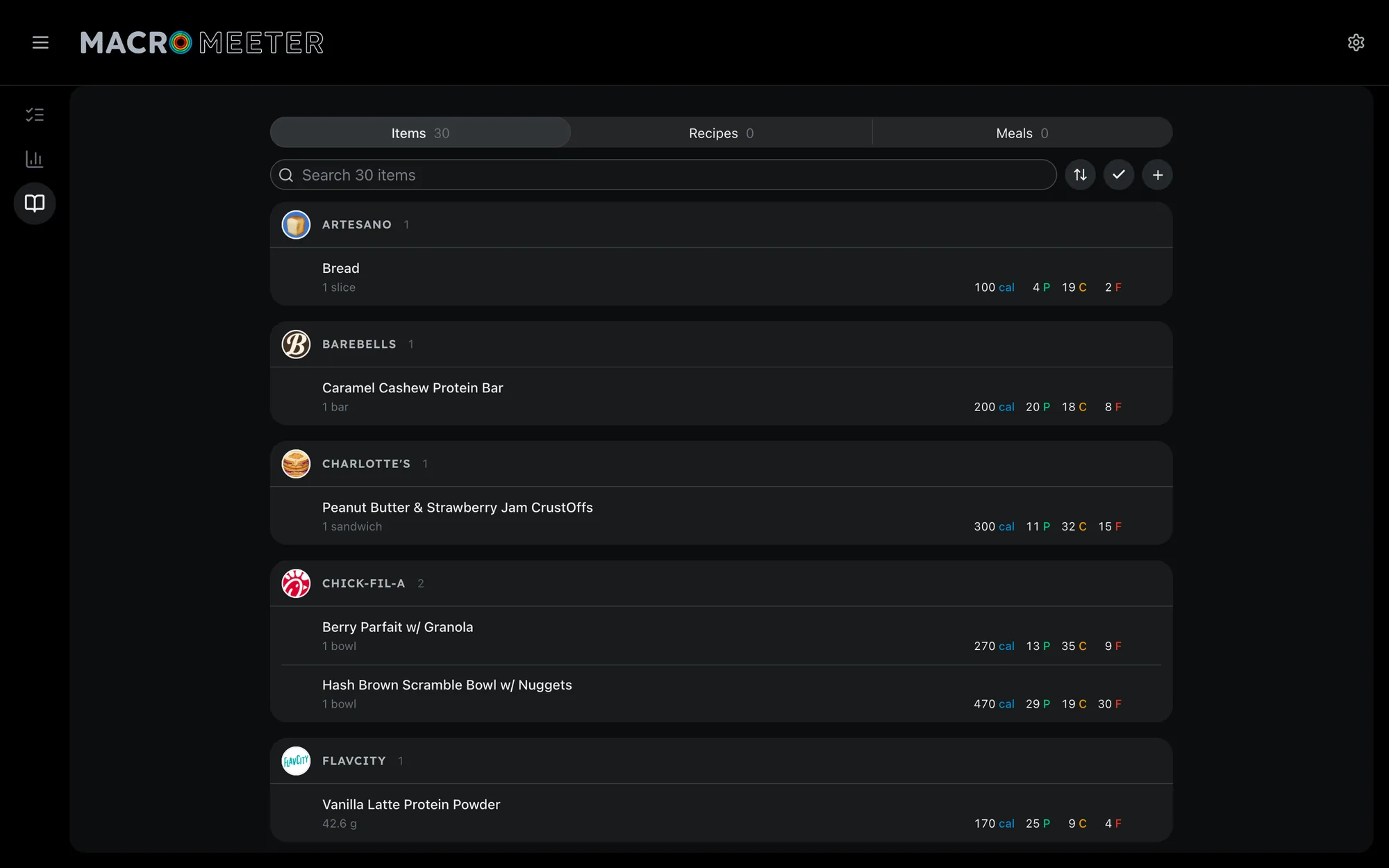
One picker for items, recipes and meals, ranked by how often and how recently I log each in that meal. A barcode scan fills a new item from Open Food Facts.
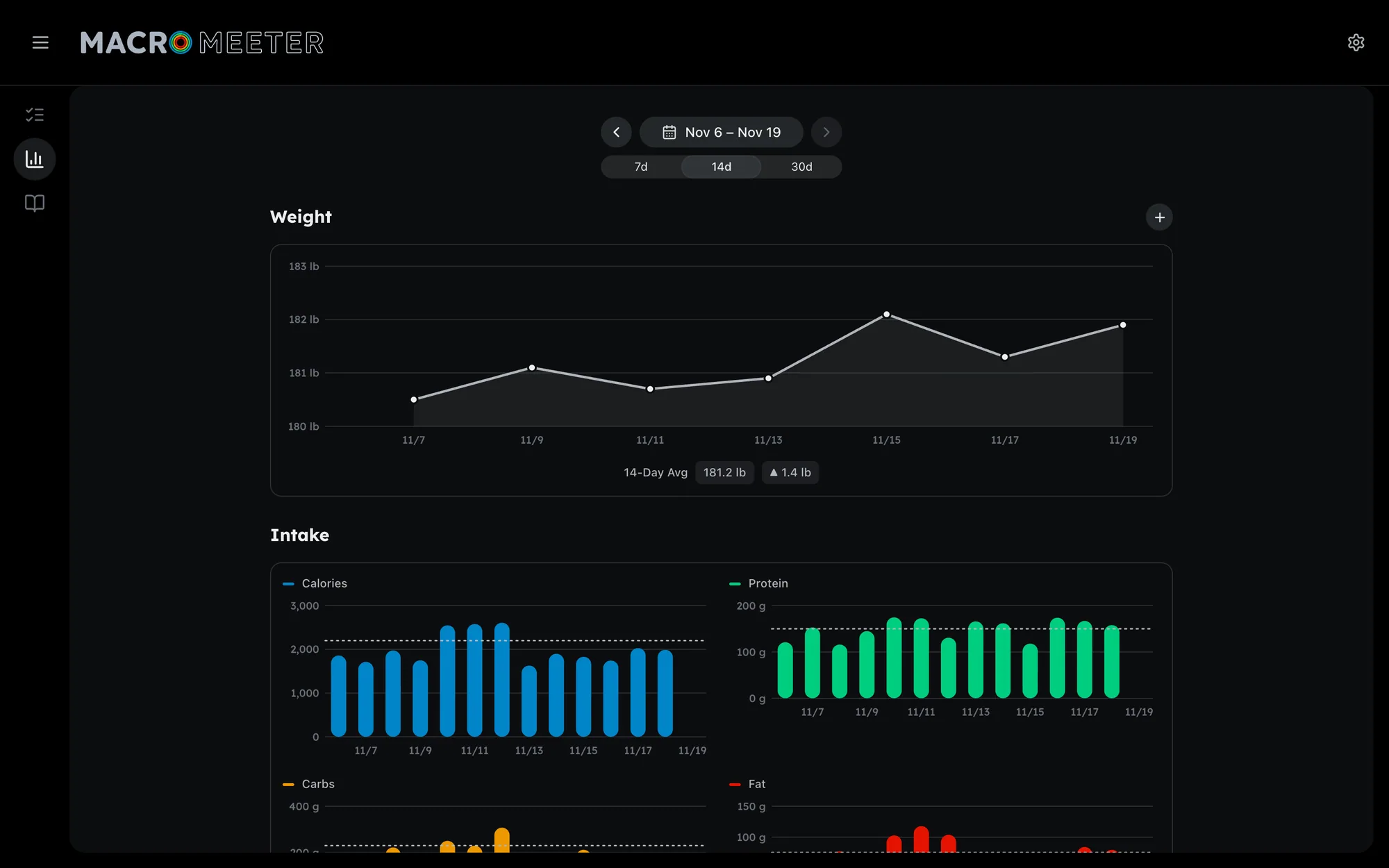
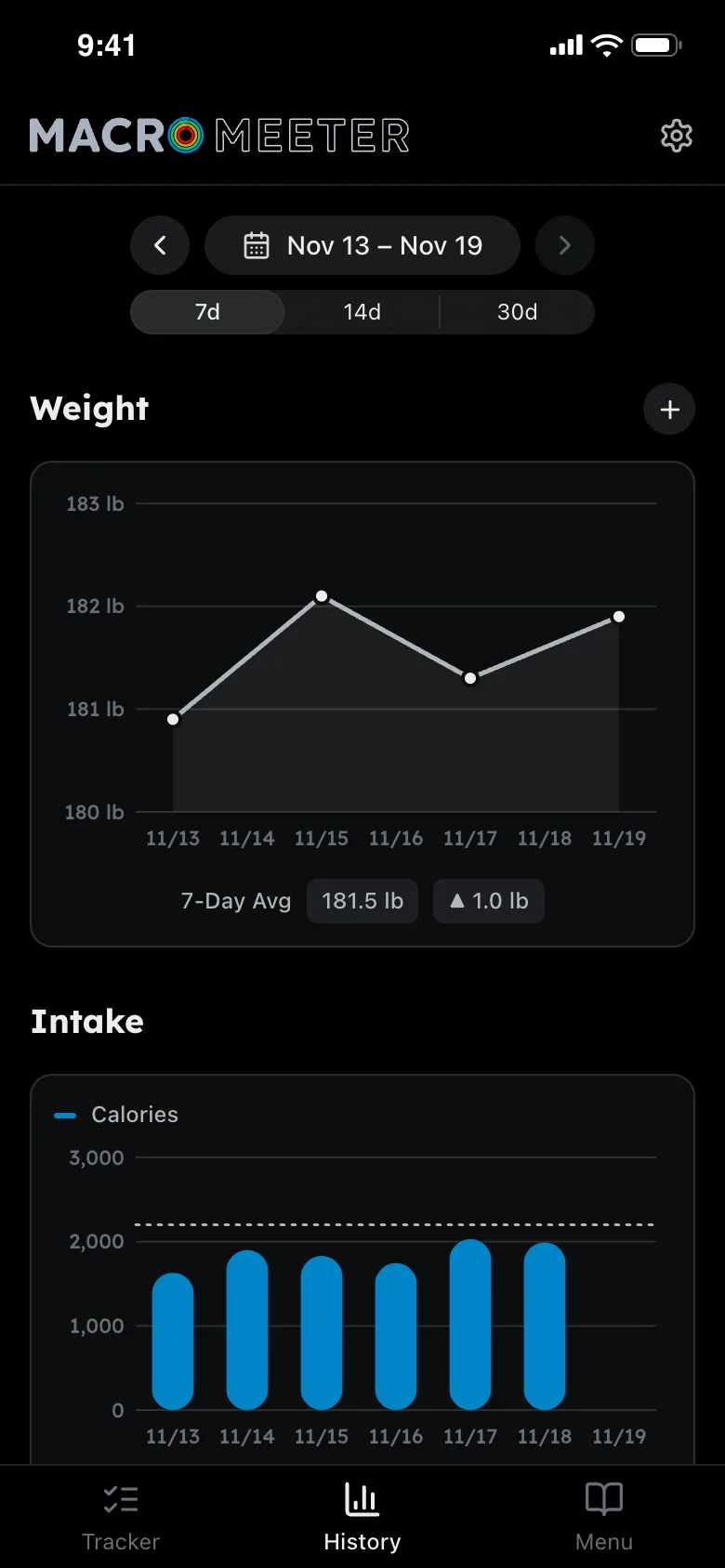
History shows weight and intake against a dotted target line, and grades each day. Protein is a floor; everything else is a ceiling.
AI Inside The Product
First a Claude Code skill, then an MCP server for the Claude app, then a button in the app itself. Each step was judged by daily use, and the one that stayed is the one I actually reach for. Retiring the other two was as deliberate as building them.
On The Phone
The Details
The estimate endpoint only proposes. Nothing is logged until I add it, through the same API as a hand-logged item, and my Menu is never sent to the model: a strict local match offers one-tap swaps afterwards.
Changing a goal never rewrites history: each day is graded against the target that applied that day.
A half-logged day can be marked Left Out. Its entries stay, but it's kept out of the rolling averages so a forgotten lunch doesn't flatter the week.
Entry IDs are built from date, slot and name, and writes are insert-or-replace, so retries and corrections can't double-log.
The deploy excludes the data folder, backs up the database, tags the previous image, and fails loudly. The old setup "failed silently for weeks".
Three fixes that passed in Chromium failed on the iPhone, so the rule became: iOS-only bugs are checked in WebKit. The lesson lives in memory.
Each macro has a text color (4.5:1) and a shape color (3:1) per theme. Over-target laps are the same hue 0.15 darker in OKLCH, and a color-blind palette keeps every pair distinct.
The barcode scanner treats "not found" differently from "can't reach the database", and typing the digits is always an option when the camera fails.
The model is a setting. Every request tells the router to refuse providers that train on what they're sent, except one model chosen knowingly. Each estimate records its model, time and cost, and photos are cleaned and kept 30 days.
44 Playwright WebKit checks walk the whole estimate flow at phone width on a temp copy of the database, with the model answered in the browser so a run spends nothing. The deploy refuses to ship if one fails.
Architecture
One container on my home server, behind Cloudflare Access. The estimate goes out through OpenRouter and comes back as proposed items; only what I add is written. An MCP server sat beside it until October.
How AI Built It
Phase one was a Claude Code skill; phase two an MCP server for the Claude app. Both worked, and neither fit a meal on the go, since the server was never reachable outside home. Phase three put the estimate in the app, and the other two were retired.
The first UI round-tripped every tap over a WebSocket. A written plan replaced it with a client-first React app that loads everything once and derives the rest in the browser.
Ten logo directions down to four concentric rings that double as the O in MACRO, every dimension derived from Lexend's stem. 52 dated decisions, including "Not what I meant. Go back a step."
5 sessions and 18 project memory notes, like verify-ios-with-webkit and deploy-no-compose-on-box, so each session starts where the last one learned something.
Until October there were no automated tests. The estimate came with 82 server tests that replay saved model replies offline, and the 44 phone checks Claude wrote while building it, which I chose to keep.
In Motion
More Screens

 →Postarr chooses a poster for every film and show and puts it on Plex with one click and an undo. Reconcilarr checks that five systems agree about every title, and turns each disagreement into a fix you preview first.